
Your store already creates the data. NexServe puts it to work.
Every invoice, purchase, sale and inventory movement tells you something about the business. NexServe connects that information so the next decision starts with more context.
The invoice stops being paperwork.
An invoice arrives. NexServe reads it, matches the lines to your products and prepares the receiving work. Lines it's confident about are handled quietly. Cost changes, quantity differences and uncertain matches are put in front of a person with the evidence side by side.
Why you careAn hour of keying turns into a few real decisions — and every approved receipt leaves behind cleaner cost and inventory data for everything downstream.
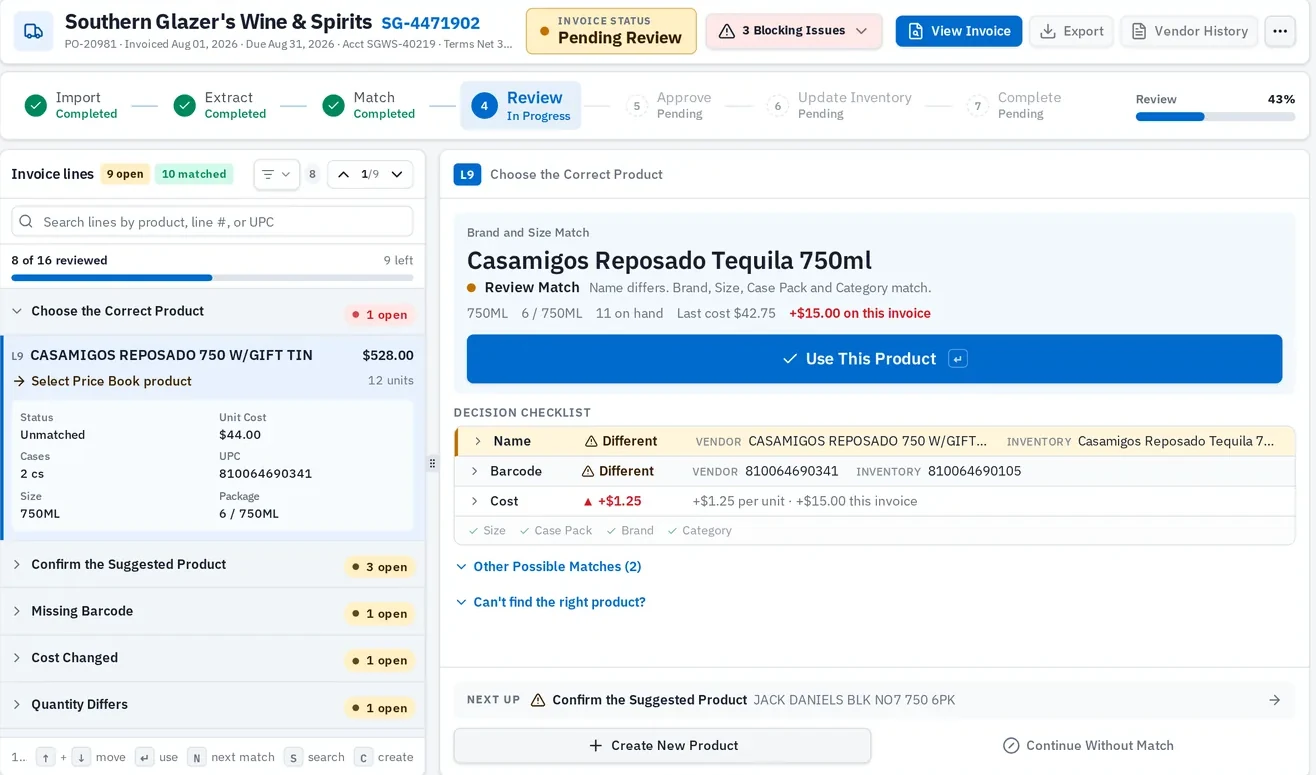
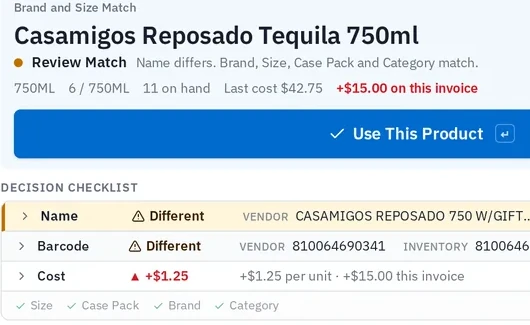
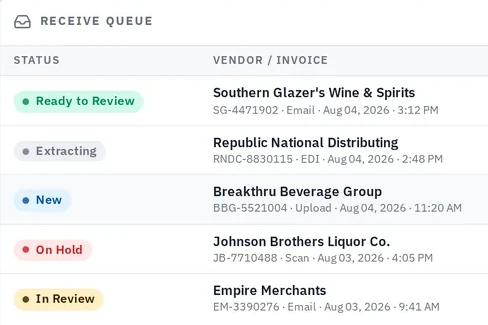
The work is already waiting when you sit down.
Invoices arrive, get read and get queued. NexServe tells you where to start and how much is left.

Yesterday's invoices become today's leverage.
Everything you received turns into purchasing evidence: what you paid, when you bought it, who you bought it from and whether the cost moved. It's there while you're deciding — not after the truck leaves.
Why you careA rep quotes you a number. You can tell in seconds whether it's actually a deal.
Per product and vendor, so an increase is obvious.
Prior orders and quantities, so you can see your own pattern.
Search across who you bought from and what it cost.
The order is drafted before you sit down to place it.
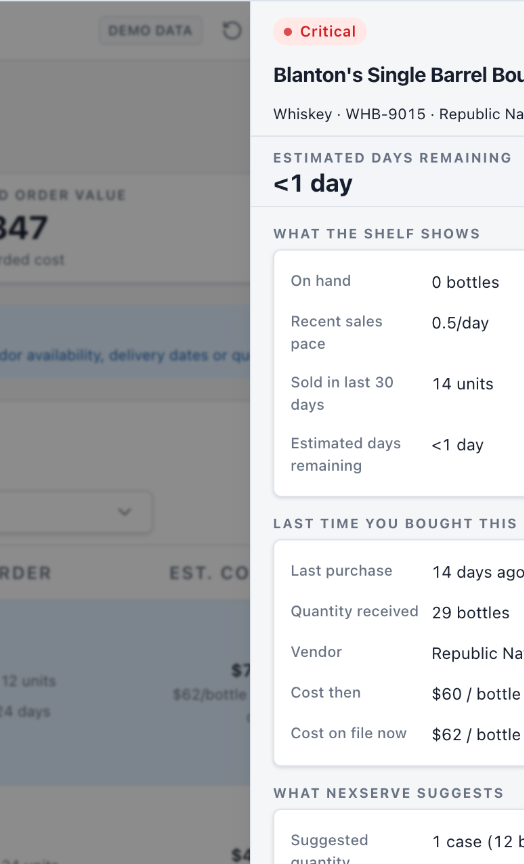
Inside Purchase, NexServe uses current inventory, sales pace, stockout risk and your buying history to prepare what may need to be ordered — and shows the math behind the number.
Change the quantity. Drop the line. Approve it. It's a suggestion built from your store's evidence, not a guarantee about your distributor or next month's demand.
Why you careFewer empty facings on your best sellers, and less cash parked in cases that won't move.
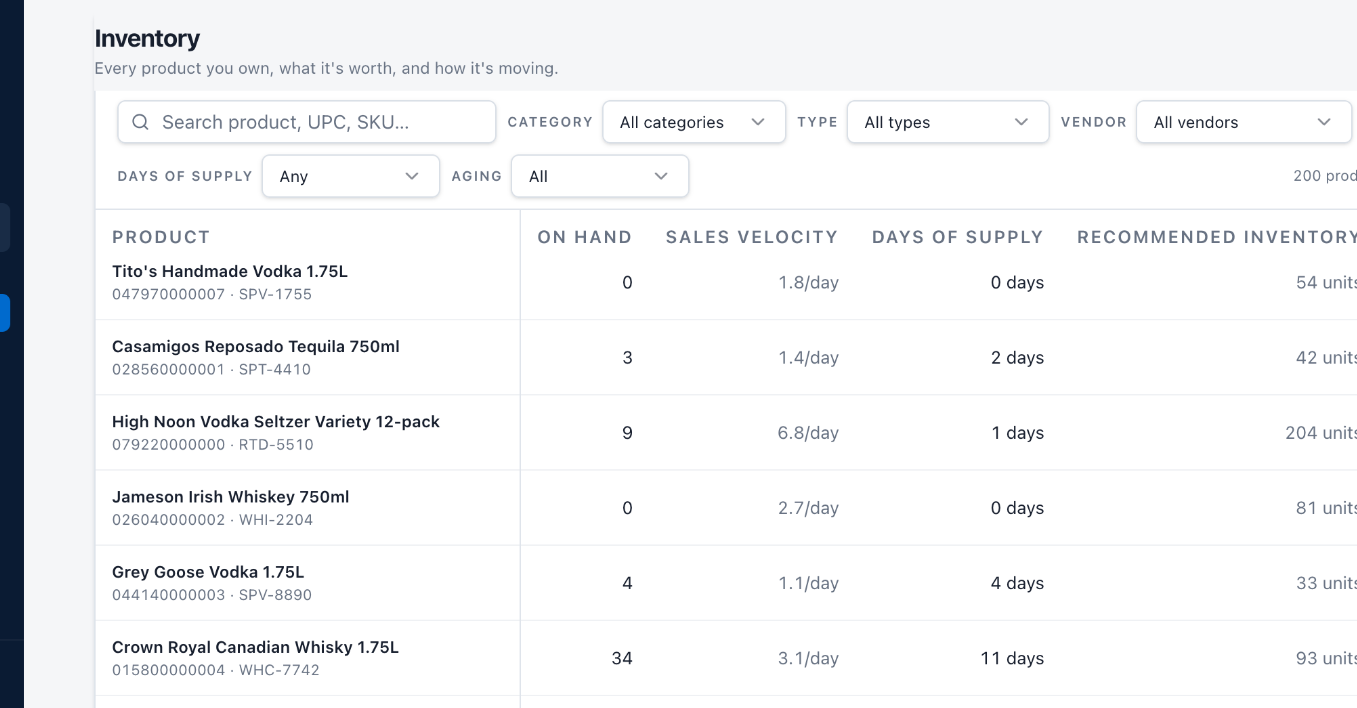
See which shelves are working and which ones are holding your cash.
On hand, sales velocity, days of supply and where a supplier cost change is squeezing margin — healthy, at risk, overstocked or slow, product by product.
Why you careTwo questions get answered without a count sheet: what's about to cost me a sale, and what's already costing me cash.
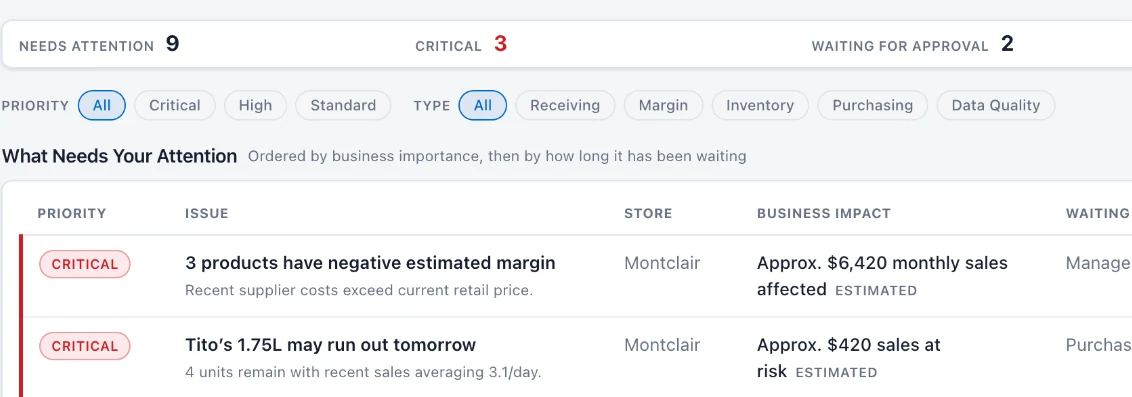
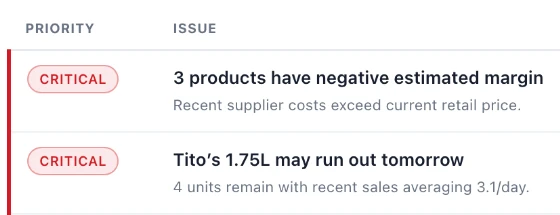
It doesn't just say something's wrong. It says what it's worth.
Everything the other workflows learned lands in one prioritized list — margin pressure, stockout risk, cost changes, approvals waiting — each with an estimated business impact and who it's waiting on.
Why you careYou spend your first fifteen minutes on the most expensive thing in the store, not the loudest one.
Every day you operate, the next decision gets easier.
Receiving produces accurate costs. Accurate costs make purchase history worth trusting. Trusted history makes reorder suggestions sharper. Sharper buying keeps inventory honest — and Cockpit ranks whatever still needs a person. It's your store's own operating history doing the work, not a shared pool of other retailers' data.
The AI does the homework. You make the call.
Nothing posts on its own. Recommendations are estimates built from your store's history, and you know things the data doesn't.
Bring an invoice.
We'll show you the rest.
20-minute walkthrough. No slides.